Branch admin
The branch admin workspace runs one branch. It is the widest workspace in Sitora Pro, and the only one that can change who works there.
The tabs
Section titled “The tabs”| Tab | What it holds |
|---|---|
| Overview | Branch health, pressure, and what needs attention |
| Team | Everyone with access here, and their roles |
| Menu | Availability, price and prep time for this branch |
| Stock | Branch stock risk and the items affected |
| Control | Branch-level actions, and the audit trail |
Overview
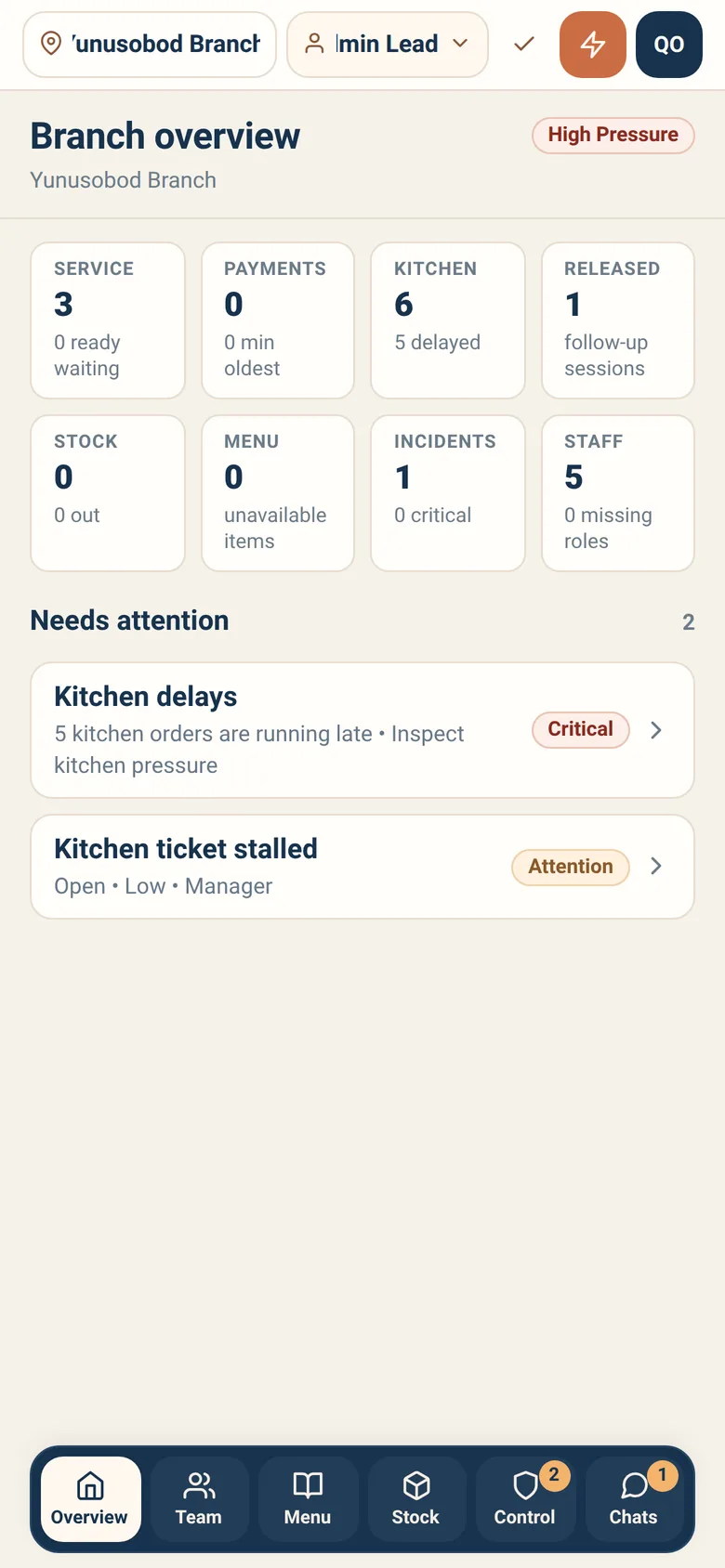
Section titled “Overview”Eight branch facts, then what needs attention.
The first four — Service, Payments, Kitchen, Released — are readings only; there is nowhere for them to take you. The other four are doors: Stock, Menu, Incidents and Staff each open the tab they are about, so a number you do not like is one tap from the screen that changes it.
When nothing needs you, it says so. An empty attention list is an answer, not a missing screen.
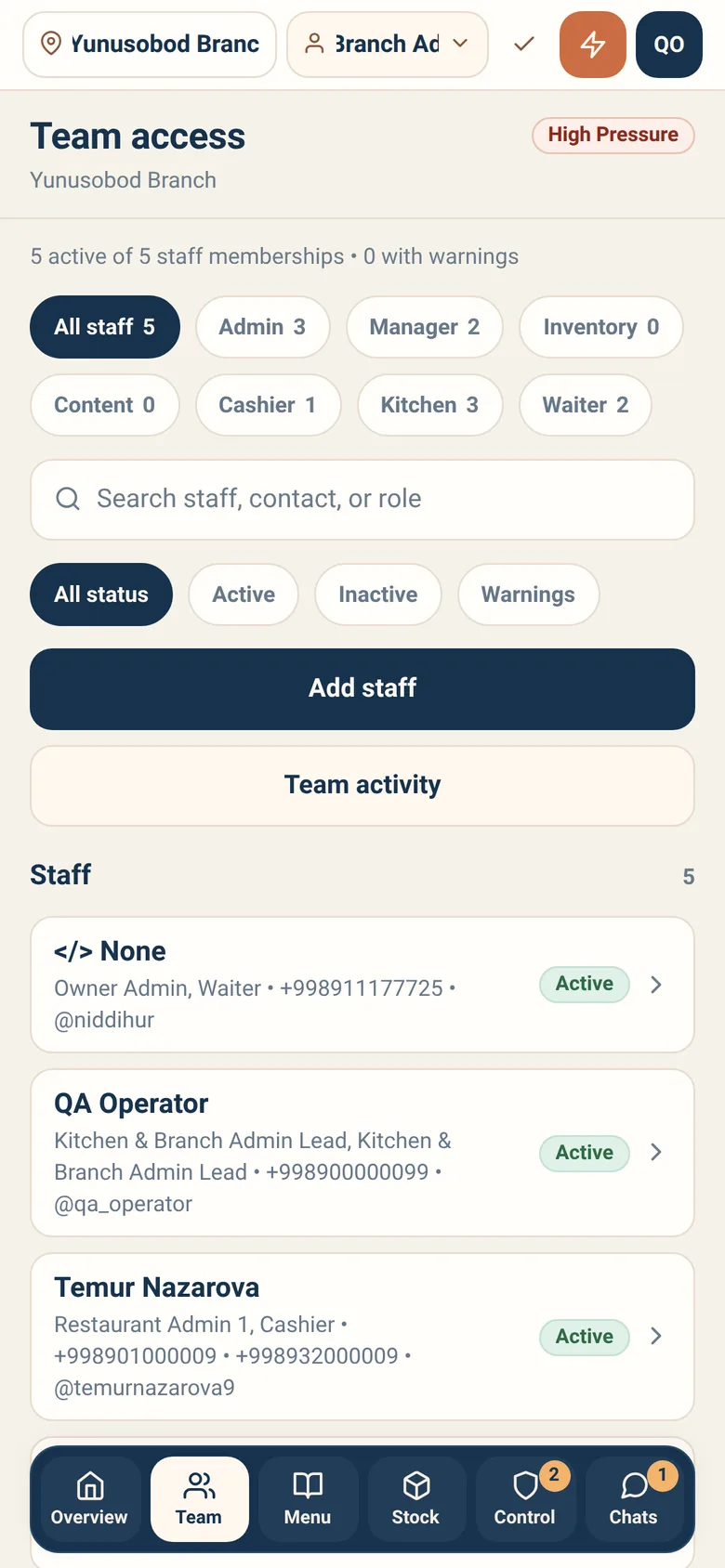
Everyone with access to this branch: name, contact, roles, and whether the membership is active. Counters show how many memberships are active out of the total and how many carry warnings.
Filter by All status, Active, Inactive, or Warnings. Search by staff, contact or role.
Adding someone
Section titled “Adding someone”Add staff brings a person into this branch. It is two acts, not one, and the second is easy to forget.
It creates the account. You type the person’s first and last name, a Telegram phone, a contact phone and an optional Telegram username — you do not look up an existing account, and the sheet has no field for one. At least one phone number is required, because that is how they will sign in through Telegram. The sheet’s own warning says it: Creates a real branch membership immediately and records it with your name.
It does not give them a role. The sheet collects no role, and says so: The membership is created without roles; assign roles from the new member’s page afterwards. Someone added and left there can open the branch and do nothing in it. Open their page and grant a role as a second, separate act.
Once added and given a role, they see this branch in Sitora Pro when they next open it — or, if they are already looking at it, when they next reopen the branch picker, which re-checks access as it opens.
Changing or removing access
Section titled “Changing or removing access”Opening a person shows their memberships, roles and warnings, and the access actions available.
Every access change is governed: it asks for a reason, asks you to hold rather than tap, and is recorded permanently against your name.
Warnings
Section titled “Warnings”A membership with a warning is one worth a look. There are five, and this is all of them:
| Warning | What it means |
|---|---|
| Membership inactive | The membership is switched off |
| No assigned role | They can reach the branch and do nothing in it — usually somebody added and never granted |
| Missing contact | No Telegram phone, no contact phone, no Telegram username: nothing to reach them by, and nothing to sign in with |
| No recent activity | The membership is active but they have never done anything here |
| Stale activity | Active, but nothing for a fortnight |
The list is short by design. Work it.
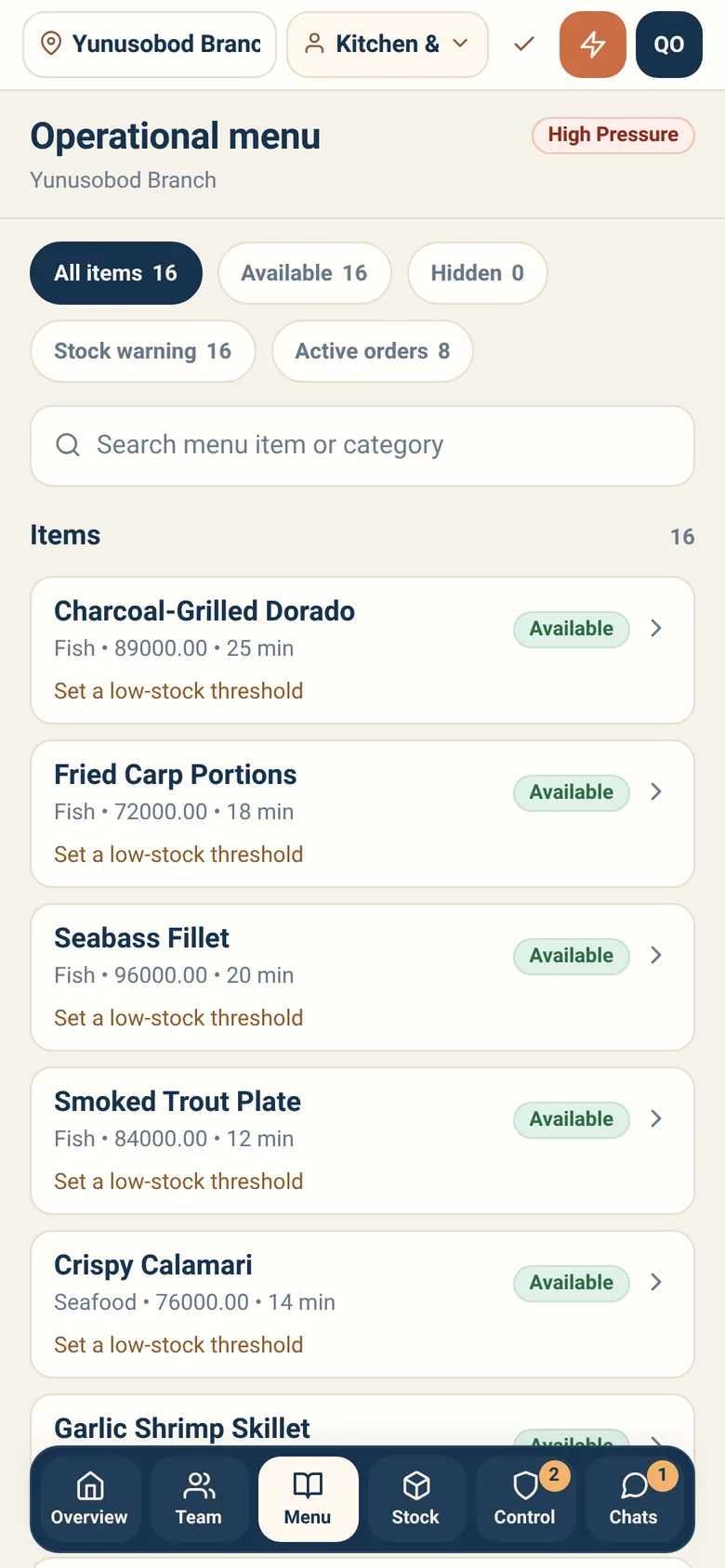
Branch-level control over three things:
- Availability — whether guests here can order it
- Price — what it costs at this branch
- Preparation time — what guests are told to expect
These are this branch’s settings. Another branch of the same restaurant can sell the same dish at a different price. That is the point of branch-level control.
Filter the list with All items, Available, Hidden, Stock warning and Active orders, each carrying its count. Stock warning is the one that saves time: it collects the items whose stock says something, so you can see when a price change is beside the point because the item is not sellable anyway. Active orders collects the items that are already inside submitted orders — worth checking before you change a price, though re-pricing never reaches back into an order already placed.
The named warnings Low, Out and Mismatch are not here — they are the filter chips on the Stock tab. This tab tells you an item has a stock warning; Stock tells you which kind.
Mismatch means the item is on sale but its stock says it should not be. Fix one side or the other; leaving it is how guests order something that does not exist.
The branch’s stock risk and the items affected — a summary view, not the working surface. Filter it by All, Low, Out or Mismatch.
The day-to-day belongs to the storekeeper.
Open inventory workspace takes you there — but only if you are one. The
button appears when the branch publishes inventory-grade access and your own
account holds the inventory_manager role here. Being a branch admin is not
enough, and that is deliberate: a button that took you somewhere you could not
act would be worse than no button. If you cannot see it, the person who can is
the storekeeper.
Control
Section titled “Control”Four segments: Incidents, Overrides, Settings and Audit. Branch control actions live under Settings; the audit trail is its own segment.
Order intake is the one a manager will come to you for. You choose which service modes the branch accepts — dine-in, takeout, delivery — each on or off, with an optional capacity note shown to staff. Controls which new orders this branch accepts. Submitted orders are never changed.
Emergency pause is the harder stop: it closes intake and keeps it closed, and a reason is required and shown to staff. You may record an estimated reopen time. While it is on, intake cannot be reopened from the intake control — the pause must be lifted from its own.
Nobody else has these. A manager can pause the robot fleet and nothing more, so a manager who needs intake stopped will ask you.
Every governed action in this branch is in the audit trail: who did it, when, what changed, and the reason given. It is readable and permanent — there is no edit and no delete, by design.
When something is disputed, this is the answer.
Day-to-day recipes
Section titled “Day-to-day recipes”A new person starts today. Add staff creates the account, so they do not need to have signed in first — but give them the role straight afterwards, in the same sitting. A membership without a role leaves them staring at “No role is available in this branch” with no button to press.
Someone left. Remove their access the same day, with a reason. Access that outlives employment is the one access problem that is genuinely dangerous.
Someone needs to cover a different job tonight. Add the second role rather than swapping. They can switch between roles themselves during the shift.
A dish is mispriced at this branch. Fix it in Menu. It applies here only.
We are out of something all evening. Switch it off in Menu or have the storekeeper do it. Either works; doing neither means guests keep ordering it.
Someone says they cannot see anything in Pro. Check three things in order: are they in the right branch, do they have an active membership here, and does that membership carry a warning.
Someone asks me to change history. You cannot, and neither can anyone else. Record a correction instead.
What a branch admin cannot do
Section titled “What a branch admin cannot do”- Work across branches. One branch at a time; switch to work in another.
- Change plans, billing or subscriptions. Owner, in Sitora Biz.
- Edit the audit trail.
- Confirm payments. Cashier.
- Act while offline. Branch control actions are online only.